
Run locally in 5 minutes
This is the fastest way to see Radioso doing its job: one command, a local stack, and a grounded answer from your own document a few minutes later. You get the dashboard, the API, and the background worker on one machine, so you can upload real content and check the answers before you think about deployment.
Prerequisites
- Node.js 24+
- Docker with
docker compose; on Windows, use Docker Desktop with Linux containers - A provider API key (OpenAI, Gemini, or Anthropic) — optional at startup, needed before your first grounded answer
You need Node.js because both host launchers run the same Node bootstrap before the containers come up. The provider key is what turns your documents into embeddings and your questions into answers, so pick the provider you already have credit with.
Start the stack
On macOS or Linux:
./run-dev.shOn Windows, open PowerShell or Command Prompt in the repository root:
.\run-dev.cmdThis is the bootstrap path, and it does the fiddly parts for you. It:
- checks local prerequisites
- creates or reuses
.env - offers to store AI provider credentials; Claude setup also asks which supported provider should create document embeddings, and every key can be added later under Settings → Credentials
- generates missing secrets such as
SESSION_COOKIE_SECRET,WORKSPACE_TOKEN_SECRET,PUBLIC_CHAT_SESSION_SECRET, andWORKER_TASK_AUTH_TOKEN - configures uploaded document storage to use the local filesystem by default
- builds and starts Postgres, the backend API, the background worker, and the frontend with Docker Compose
- waits until the frontend and backend are reachable
When it finishes, open:
- App:
http://localhost:3000 - API:
http://localhost:8080 - Enterprise embed test harness:
http://127.0.0.1:4321after runningnode scripts/serve-embed-test-site.mjs
For Enterprise Edition embed development on macOS or Linux, use ./run-ee-dev.sh instead. It builds the commercial packages from ee/packages, generates the local EE frontend routes, configures the local backend, starts the same app and API URLs, and starts the embed test harness automatically. Enterprise host-service development requires a Unix-like shell. Both open-source launchers remove generated Enterprise routes before starting the OSS stack.
Pick a local goal
You don’t have to do everything at once. Pick the goal that matches why you’re here.
Goal 1: evaluate the product UI
Open the app, register the first user on a new server or sign in, upload a document, and ask a question.
Goal 2: test the API contract
Use the local backend to check registration availability, register the first user if needed, and log in. Issue a personal token for workspace document calls and a REST-audience agent credential for chat.
Goal 3: test the Enterprise website widget
Start the local embed harness and verify both an approved origin and a blocked origin. The hosted widget routes are available when Enterprise Edition routes have been generated.
Verify first success in the app
- Open
http://localhost:3000 - On a new server, register the first user. Development verifies the account and signs it in automatically. Otherwise, sign in or accept an invitation
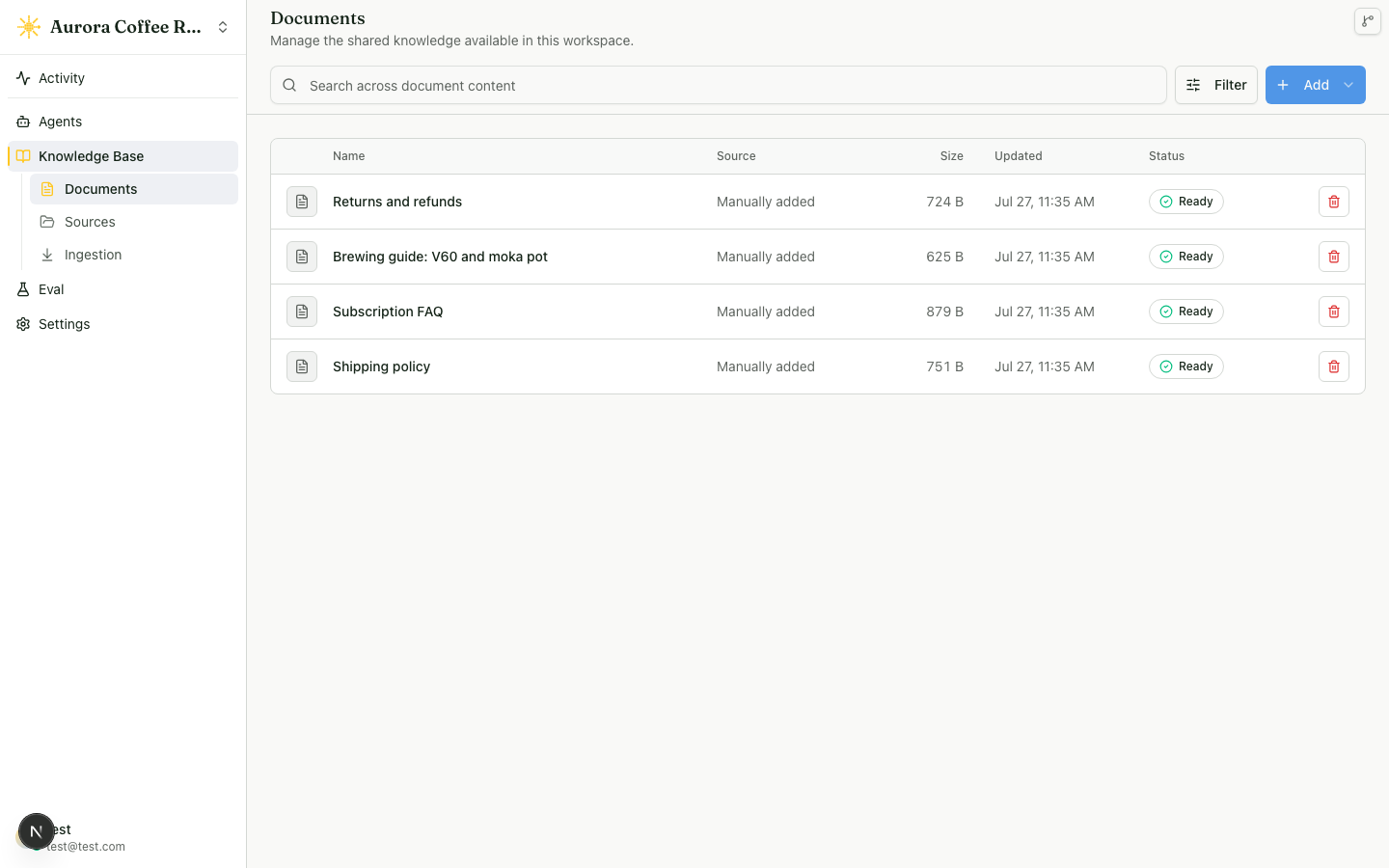
- Upload a document or let the starter documents finish processing
- Ask one suggested question
The worker takes a moment to chew through your upload. Give it until the status reads Ready, and the document is fair game for a retrieval test.
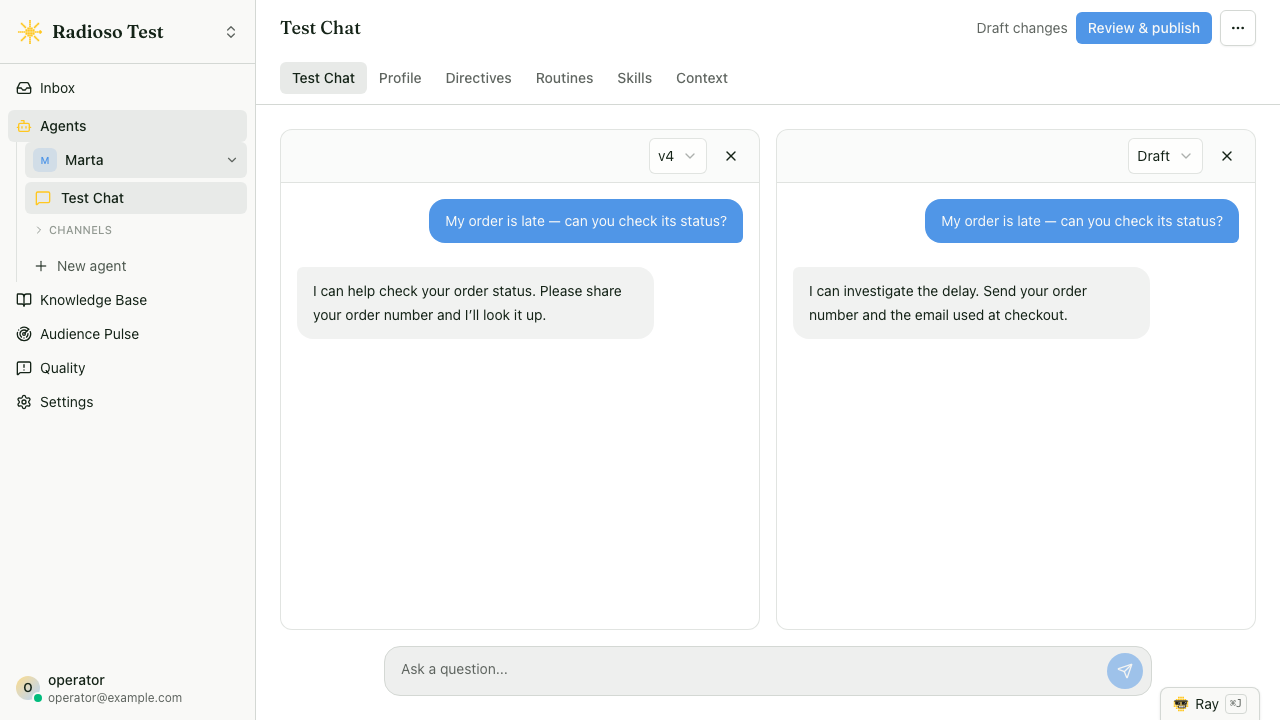
Now ask something you know the document answers. The Chat workbench is where you talk to your agent, and a good answer cites the source it came from rather than guessing.
Success looks like this:
- the frontend loads
- you can initialize a new server or sign in to an existing one
- you can upload a document
- Radioso returns an answer grounded in that document
Verify first success through the API
You don’t need to open the web app at all. Use role-aware credentials for workspace operations and a role-free credential bound to one agent for chat.
Check whether this deployment allows open registration:
curl -sS http://localhost:8080/api/v1/auth/registrationOn a new open-source server, this returns { "available": true }. Register the first user:
curl -sS \
  -H 'Content-Type: application/json' \
  -d '{"email":"you@example.com","password":"verysecurepassword"}' \
  http://localhost:8080/api/v1/auth/register
Registration creates the open-source server’s sole organization and default workspace. The development stack returns requiresEmailVerification: false and sets the session cookie immediately. Production returns requiresEmailVerification: true, sends a verification email, and waits for verification before login.
After the first organization exists, open-source registration availability is false. Later users join the existing organization by invitation. Enterprise Edition keeps open registration available and supports additional organizations. In either edition, authorized users can create more workspaces inside an organization.
Log in and save the session cookie:
curl -sS -c cookies.txt \
  -H 'Content-Type: application/json' \
  -d '{"email":"you@example.com","password":"verysecurepassword"}' \
  http://localhost:8080/api/v1/auth/login
Issue a personal token with the session cookie. An expiry is required and can be no more than 90 days away:
personal_expiry="$(node -p 'new Date(Date.now() + 30 * 86400000).toISOString()')"
curl -sS -b cookies.txt -X POST \
  -H 'Content-Type: application/json' \
  -H 'X-Radioso-CSRF: 1' \
  -H 'X-Workspace-Id: <workspace-id>' \
  -d "{\"label\":\"Local development\",\"roleCeiling\":\"member\",\"expiresAt\":\"${personal_expiry}\"}" \
  http://localhost:8080/api/v1/account/workspaces/<workspace-id>/api-access/personal-tokens
Store the response’s secret value outside the browser. That personal token authorizes eligible workspace APIs. For chat, create a separate REST credential from the agent’s Channels → API card and call POST /api/v1/agents/{agentId}/chat; API first success shows the complete sequence.
What local development changes
Local bootstrap tunes the stack for a fast look, not for mirroring every production constraint:
- uploaded source files are stored on the local filesystem
- Docker Compose runs the app, API, worker, and Postgres together
- newly registered password users are verified automatically and signed in
Local setup is built for quick evaluation. When you move to production, storage, dispatch, and secrets are the surfaces that change.
Common failure modes
- If the stack starts but answers fail, the usual cause is missing or invalid provider credentials in
.env. - If upload works but chat ignores the new document, processing is probably still running. Check the document’s status before you blame retrieval.
- Production auth mail needs a delivery driver such as Resend. Development registration does not send a verification message because it verifies the new account automatically.
What to do next
- If the local app looks right, continue with API first success or Embed on your website.
- If you’re trying to understand why answers look wrong, review Document upload and Agents and skills.