
Embed on your website
This walks you through putting the hosted Radioso website widget on a public site and proving it’s locked to the site you meant. Holding the embed token isn’t enough on its own — by default the launch also has to come from an origin you’ve approved, which is what most of this page is about.
The happy path
Four steps get you there:
- enable anonymous chat and website embed for the workspace
- allow exactly one site origin
- install the launcher script on that site
- confirm the approved site can chat and an unapproved site cannot
What the embed flow does
The embed script launches a widget, asks the frontend for an embed session, and the frontend forwards that bootstrap request to the backend. The backend then checks three things:
- the workspace embed token exists
- website embed is enabled for that workspace
- the origin setting admits the browser origin
The origin setting is a single list. An explicit list admits only matching origins. A * entry admits any browser origin that has the install code. An empty list admits no origins. If the checks pass, Radioso issues a short-lived embed session token tied to the workspace, anonymous session, and source origin.
What you’re trying to prove
Getting the launcher to appear is the easy half. Before you call this done, confirm all three:
- the right website can launch the assistant
- the wrong website can’t impersonate it
- the assistant answers from your workspace content once it’s launched
Local embed harness
Start the local harness from the repo root:
node scripts/serve-embed-test-site.mjsThen open:
- Approved origin:
http://127.0.0.1:4321 - Blocked origin:
http://localhost:4321
Those two URLs differ only by host, on purpose. That single difference is enough to prove that origin matching is exact.
Opening either URL loads a config form, not a working widget yet: it asks for your Radioso app origin (http://localhost:3000 by default) and an embed token, and it refuses to mount anything until you paste one in. That token doesn’t exist until you create it in the dashboard — see the first step under One concrete test flow below.
Example launcher snippet
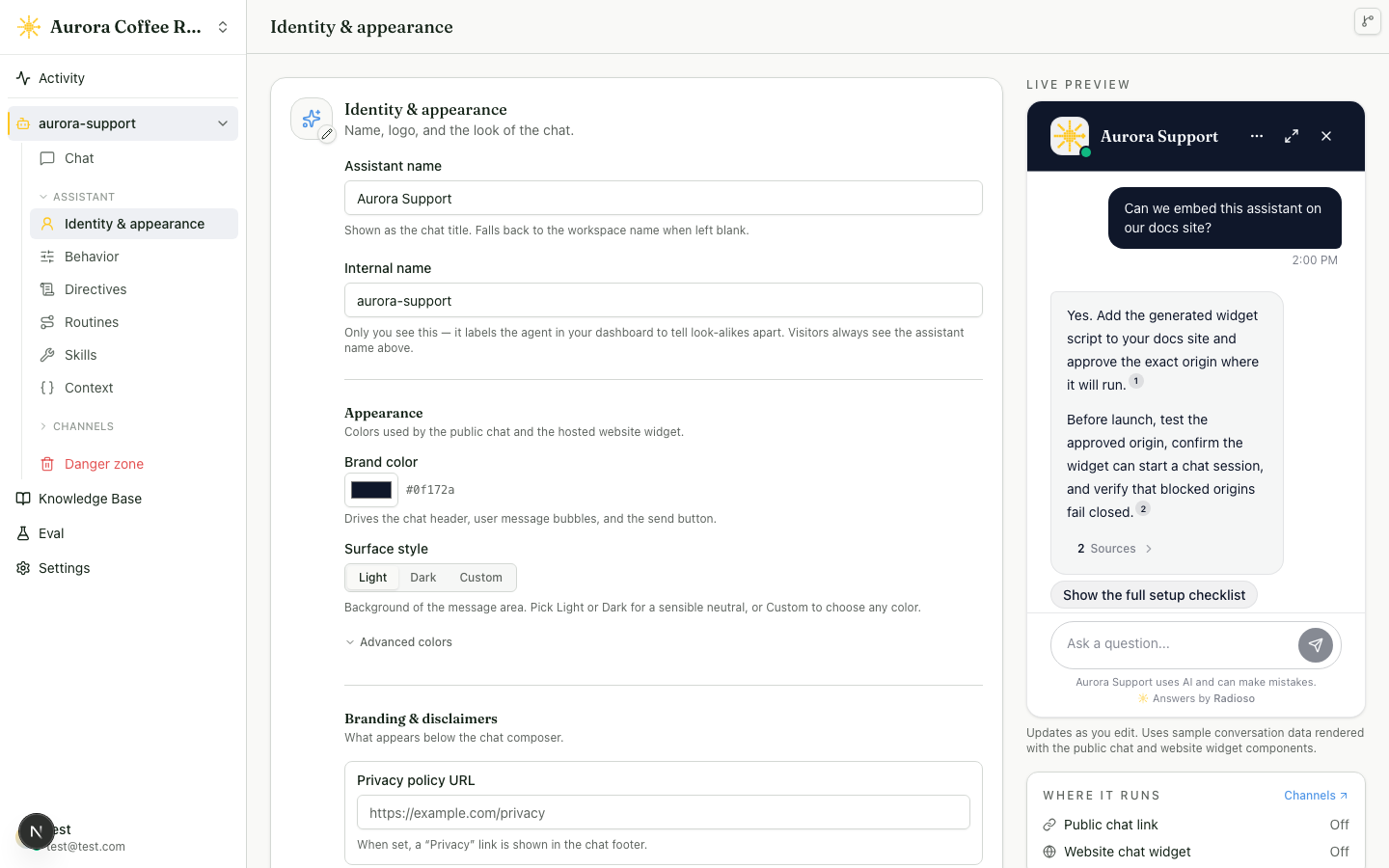
In production, the Enterprise launcher is a normal script include with the embed token. Branding, visitor-facing wording, theme colors, and expert overrides are stored in Radioso settings — the Web chat page under the agent’s Channels section previews them live as you edit. Look holds the logo, brand color, and surface style; Wording holds the eleven visitor-facing strings, with Add a translation for a per-language pack the widget serves to visitors in that language; Footer holds the privacy policy URL.
<!-- data-radioso-token below is a placeholder. Copy the real value from the
     agent's Channels → Website widget settings in the dashboard. -->
<script
  async
  src="https://your-frontend.example.com/radioso-embed.js"
  data-radioso-token="wksp_embed_REPLACE_WITH_YOUR_TOKEN"
></script>
The detail that trips people up: the script origin and the allowed website origin are different concerns. The script can be hosted in one place while only approved customer-facing origins are allowed to bootstrap sessions.
Analytics tracking
The embed sends sanitized activity events to the host page with window.postMessage. Radioso does not load PostHog, Google Analytics, Segment, or any other analytics SDK on the site owner’s behalf.
If your site already runs PostHog, add a listener that forwards Radioso events into your existing project:
<script>
  const radiosoScript = document.querySelector('script[data-radioso-token]')
  const radiosoAppOrigin = radiosoScript ? new URL(radiosoScript.src).origin : null

  window.addEventListener('message', (event) => {
    if (event.data?.type !== 'radioso:analytics') return
    if (radiosoAppOrigin && event.origin !== radiosoAppOrigin) return
    if (!window.posthog) return

    window.posthog.capture(event.data.event, {
      ...event.data.properties,
      radiosoSubjectType: event.data.subjectType,
      radiosoSubjectId: event.data.subjectId,
      source: 'radioso_embed',
    })
  })
</script>
The origin check is a safety guard for production pages with multiple embedded frames. The example derives it from the installed Radioso script, so you don’t have to hard-code the widget host.
The embed-config response can be served from a CDN. It’s the same for every visitor on a given site, regardless of browser language, so a CDN caches it per admitted origin. The origin setting still applies: a site that is not admitted is rejected and never cached. The launcher fetches this config once on page load; caching it keeps that request off your origin. After an operator changes embed settings, invalidate the cached config so the change appears immediately; otherwise it appears once the cached copy expires.
Embed analytics events:
| Event | When it fires |
|---|---|
website_embed.loaded | The widget receives a verified embed session and can render chat |
chat.started | A visitor submits a chat message |
chat.completed | Radioso completes an answer for that visitor message |
chat.failed | Radioso cannot complete the visitor message |
chat.citation_clicked | A visitor opens a citation marker or source control |
chat.link_clicked | A visitor opens a URL from an assistant answer |
Each message has this shape:
type RadiosoAnalyticsMessage = {
  type: 'radioso:analytics'
  event: 'website_embed.loaded' | 'chat.started' | 'chat.completed' | 'chat.failed' | 'chat.citation_clicked' | 'chat.link_clicked'
  timestamp: string
  source: 'embed'
  subjectType?: 'embed_session' | 'conversation'
  subjectId?: string
  properties?: Record<string, string | number | boolean | null>
}
Radioso does not include visitor message text, assistant answer text, retrieved document text, prompt text, cookies, session tokens, or connector secrets in these events.
For chat events, properties.embedSessionId groups activity from the same embedded session. chat.completed also includes answer counters such as citationCount and suggestionCount when available.
For chat.citation_clicked and chat.link_clicked, Radioso sends link metadata such as linkType, citationIndex, documentId, chunkId, destinationOrigin, and destinationPath when available. Query strings and URL fragments are not included in analytics events.
What the widget records
Every conversation the widget starts records what the visit looked like at that moment: the request’s IP address, country, region, and city when a load balancer or CDN supplied them, the browser’s User-Agent and Accept-Language header, the page the widget opened on, and the page that referred the visitor there. None of this reaches the model directly. The page, referrer, language, and region make up the visitor_request context variable a directive can read — see Context variables for the six fields and how the entry page is gated. The IP address and raw browser string stay operator-only, visible in the Inbox conversation drawer’s Visitor panel.
The launcher also keeps a durable visitor key in the host page’s localStorage, scoped to the embed token so two different embeds on the same site don’t collide. The key’s only job is grouping every conversation that browser starts under one visitor row for operators. It does not resume a session and it does not let the widget read a previous conversation’s history — each tab still opens its own chat session, and a returning visitor still starts a fresh conversation. Where localStorage is unavailable, such as private browsing or a storage-blocking extension, the widget falls back to per-tab behavior silently and groups nothing across visits.
Recommended launch sequence
Enable anonymous chat and website embed
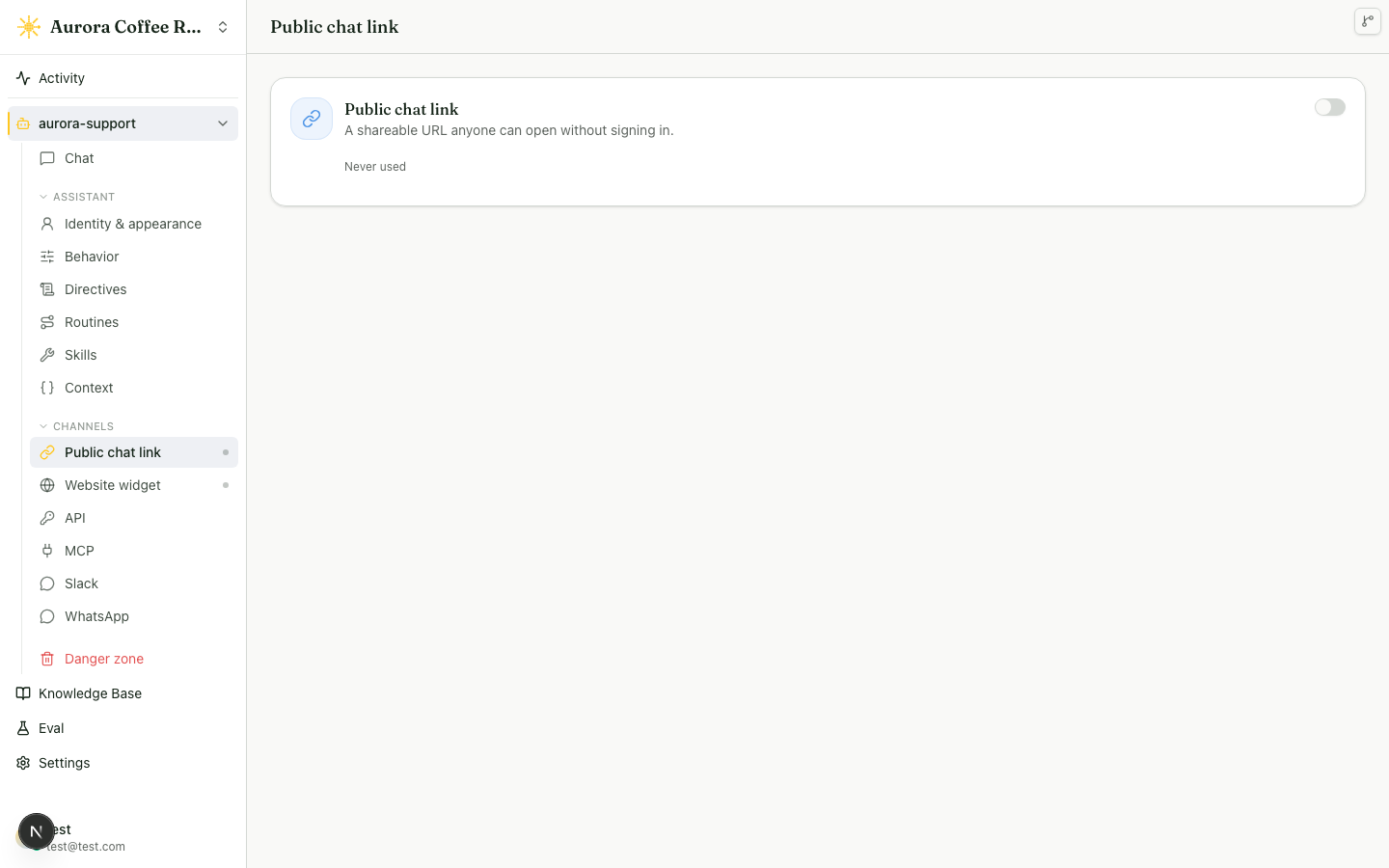
The embed flow depends on the workspace public-chat capability. If website embed is enabled but the workspace has no public chat token, launch still fails. Both live on the Web chat page under the agent’s Channels section, in Where it runs: Public link carries the shareable URL, and Website widget carries the install snippet and allowed origins. The other channels — API, MCP, Slack, and WhatsApp — sit beside Web chat in the same sidebar group.
Set the exact allowed origins
Add the full origin, including protocol, host, and port. http://127.0.0.1:4321 and http://localhost:4321 are different origins.
Use Allow all origins only when the widget should launch from any site that has the install code. In settings this is stored as * in the allowed-origin list. Leaving the origin list empty is a deny-all state.
Install the launcher snippet
Use the workspace embed snippet or script URL exposed by settings. The frontend serves the launcher script at /radioso-embed.js; it boots the widget with the public launch token and then loads server-side widget settings. Public launch-token rotation is managed from the signed-in dashboard and is separate from personal and service API credentials.
Test bootstrap and session reuse
Open the approved origin, confirm the launcher appears, open the widget, and confirm the chat can establish a session.
The browser sends its Origin header to the frontend session route. The frontend forwards that origin to the backend, which decides whether the launch is allowed.
After a successful launch, the Website widget placement on the Web chat page shows when the website embed credential was last used. If an install code is exposed, rotate the credential — the old install code stops launching new sessions the moment the token changes, and the settings screen shows the new code to deploy.
Test the blocked path
Open the blocked origin and confirm the launcher cannot establish a valid embedded session there.
One concrete test flow
- In the signed-in dashboard, open the agent’s Channels section, enable the Website widget, and copy its public embed token.
- Add
http://127.0.0.1:4321to the allowed-origin list. - Enable anonymous chat and website embed.
- Load
http://127.0.0.1:4321, paste the copied token into the harness form’s Embed token field, and click Reload with widget. - Confirm the widget opens and a chat session is established.
- Ask a question that your workspace documents should answer.
- Load
http://localhost:4321. - Confirm that bootstrap is rejected there.
What to verify on an approved origin
- The launcher appears only on approved origins
- The embedded chat can establish a session through the frontend bootstrap route
- The backend accepts the forwarded request only when the origin is allowlisted
- The widget uses the assistant logo plus the server-side theme, operator locale copy, and expert override settings. Built-in translations are bundled in the launcher script and picked from the visitor’s browser language. The standalone public chat link and full-page embed do not load the launcher, so they select the same built-in translation from the request’s
Accept-Languageheader (or an explicit?locale=parameter) instead - Responses stay aligned with your workspace content and settings
- Returning users can resume the same anonymous session instead of starting over each time
What to verify on a blocked origin
- The launcher may load the script, but session bootstrap should fail
- The backend should reject the launch with an origin error rather than silently falling back
Common failure modes
- Allowlist mismatches are usually exact-origin problems. Include the full origin, including port.
- If the widget loads but can’t chat, website embed may be enabled while anonymous chat is still missing or disabled.
- If local embed works from one host but not another, that’s usually the system behaving correctly.
Treat the allowed-origin list as part of the security boundary, not as a cosmetic setting. Do not use broad host assumptions when the exact origin is what the backend enforces.
What success looks like
- The approved-origin test page can open chat and receive a valid response
- The blocked-origin test page cannot bootstrap an embedded session
- The widget behavior matches the server-side embed branding and customization settings
- The rollout gives you confidence that the embed is both usable and origin-scoped
Production adaptation
When you move beyond the local harness:
- point the script at your deployed frontend origin
- keep the allowed-origin list narrow and explicit
- verify the customer-facing site sends the expected browser
Originheader - test both a working production origin and one intentionally unapproved origin before rollout
The production sign-off question is: can our approved site launch the assistant, and can a copy of the snippet on an unapproved site fail closed?
What to do next
- If the embed launches but answers are weak, go to Document upload and Agents and skills.
- If the widget should be live soon, review Deployment.
- To see exactly what a visit records and where operators can read it, see Visitor data.